a fence that draws itself
A mermaid fence in an outl note is now a drawn diagram, in the desktop app and on the phone, with no plugin to install and nothing to switch on. A node carrying the internal-link class opens the note it names, the same page a [[ref]] opens. A fence that does not parse keeps its source and gets one line saying where the parser stopped. The terminal app still shows the fence as text, and a diagram draws at the width the note gives it: there is no zoom.
A ```mermaid fence typed into a note is a drawn flowchart in the outline, in the desktop app and on the phone.
The person this unblocks kept two copies of one picture. The mermaid source lived in the architecture note, where the rest of the decision was written, and the rendered version lived in a browser tab or a PNG pasted into a doc somewhere else. They drifted apart on the first edit, and the note that was supposed to be the record of how the retry path works became the older of two descriptions of it. So the flow got written out in prose instead, under a bullet, and the picture stopped existing.
open the page, the fence is a picture
A mermaid fence is not a plugin here. One function decides what a fenced block becomes, and both GUI clients call it, in this order: a plugin content transformer that claims the language, then the built-in renderer for a mermaid fence while [editor] diagrams is pele, then highlighted source. pele is the shipped value, so nothing is switched on. The .md on disk is the fence you typed, unchanged, which is why the header offers Edit where a runnable fence offers Run: a diagram is not something you execute, and clicking Edit puts the source back under the cursor.
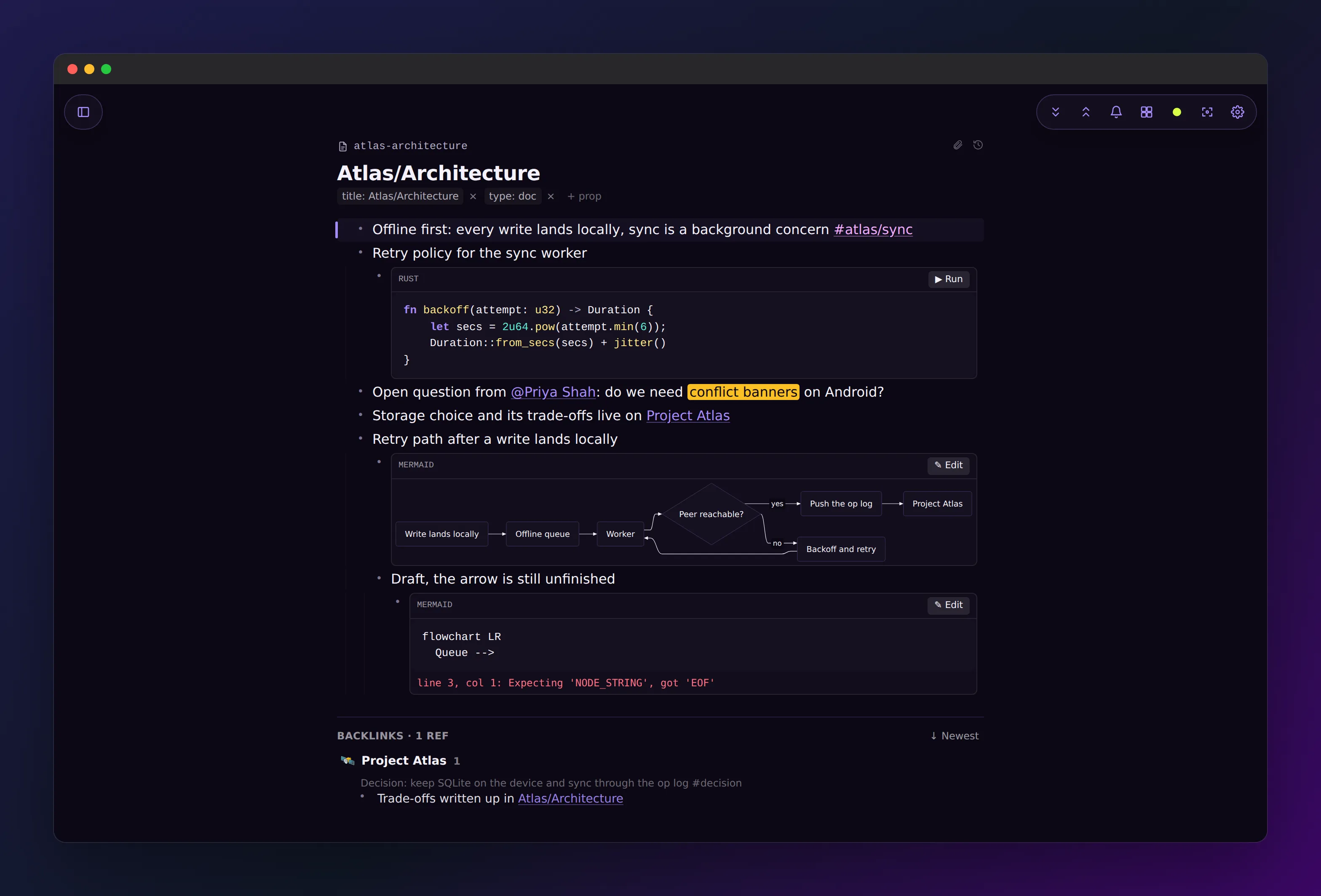
click a box inside the flowchart
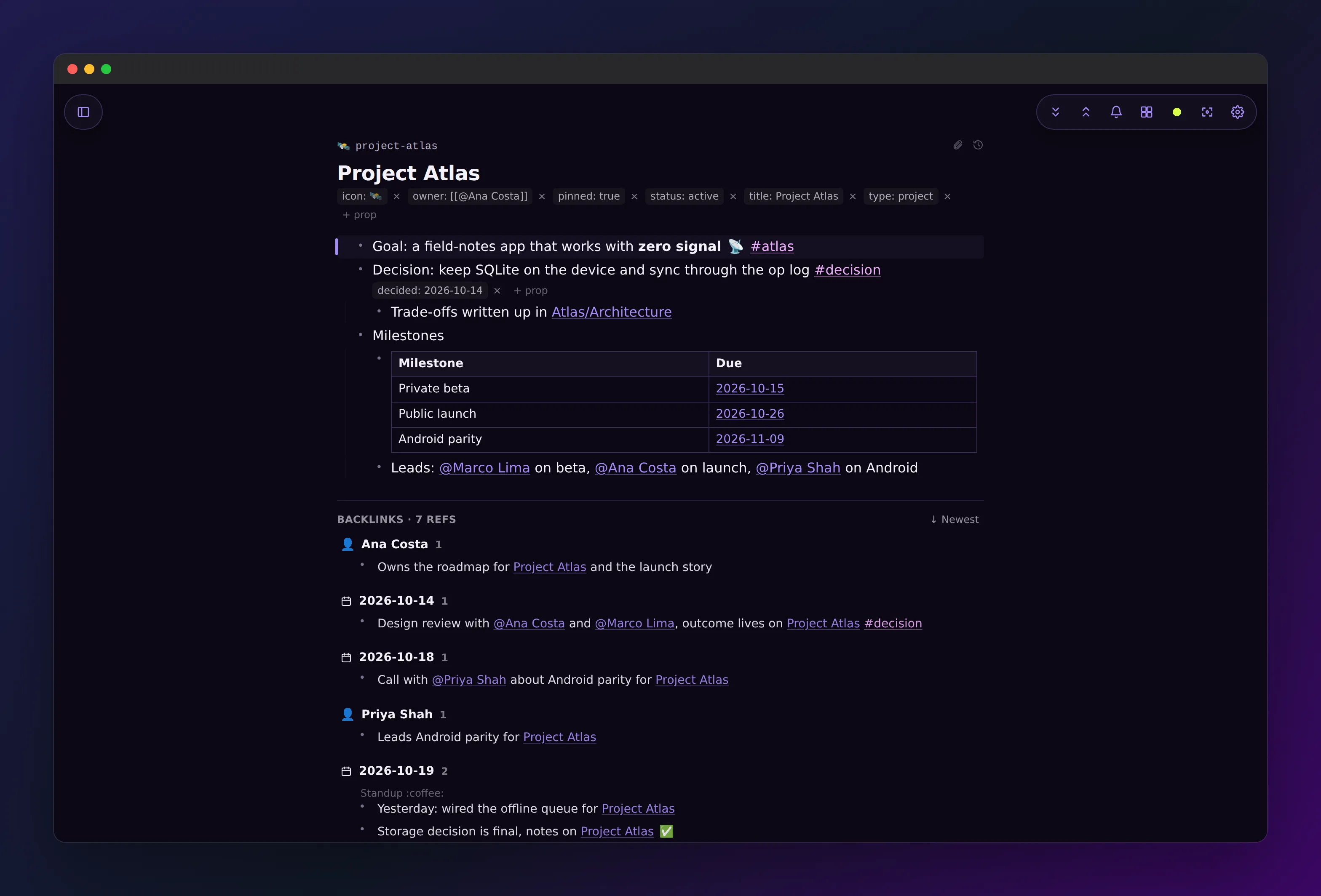
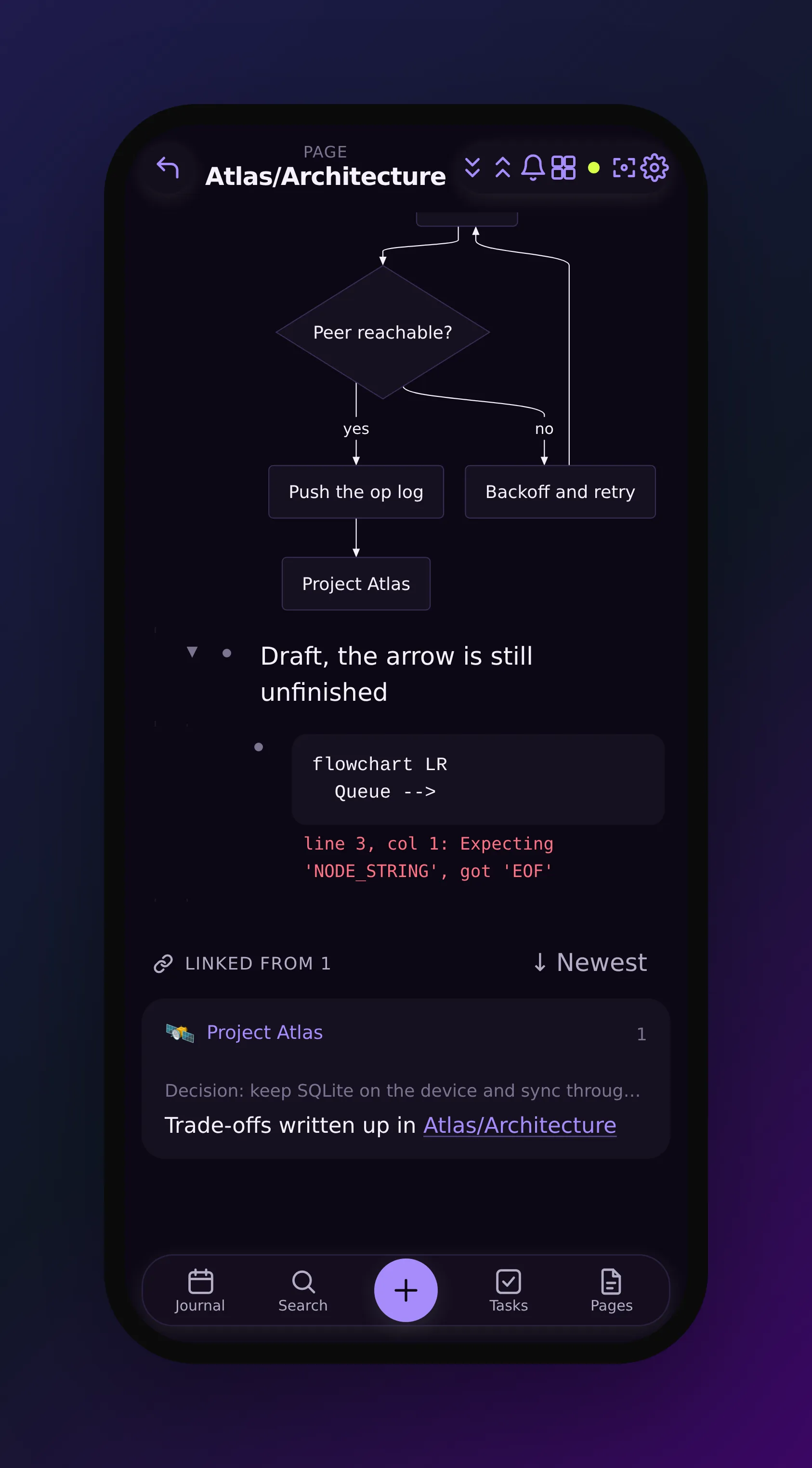
A node becomes a link to a note when the mermaid source gives it the internal-link class, written as class A internal-link or A[Project Atlas]:::internal-link. The click target is the node’s own text, read as a note name rather than a path, and it goes through the same handler that opens a [[ref]] in prose. That is the whole reason the two agree: there is no second navigation path for diagrams. A relative href written with mermaid’s click directive is dropped instead of guessed at, and http, https and mailto are handed to the OS browser.
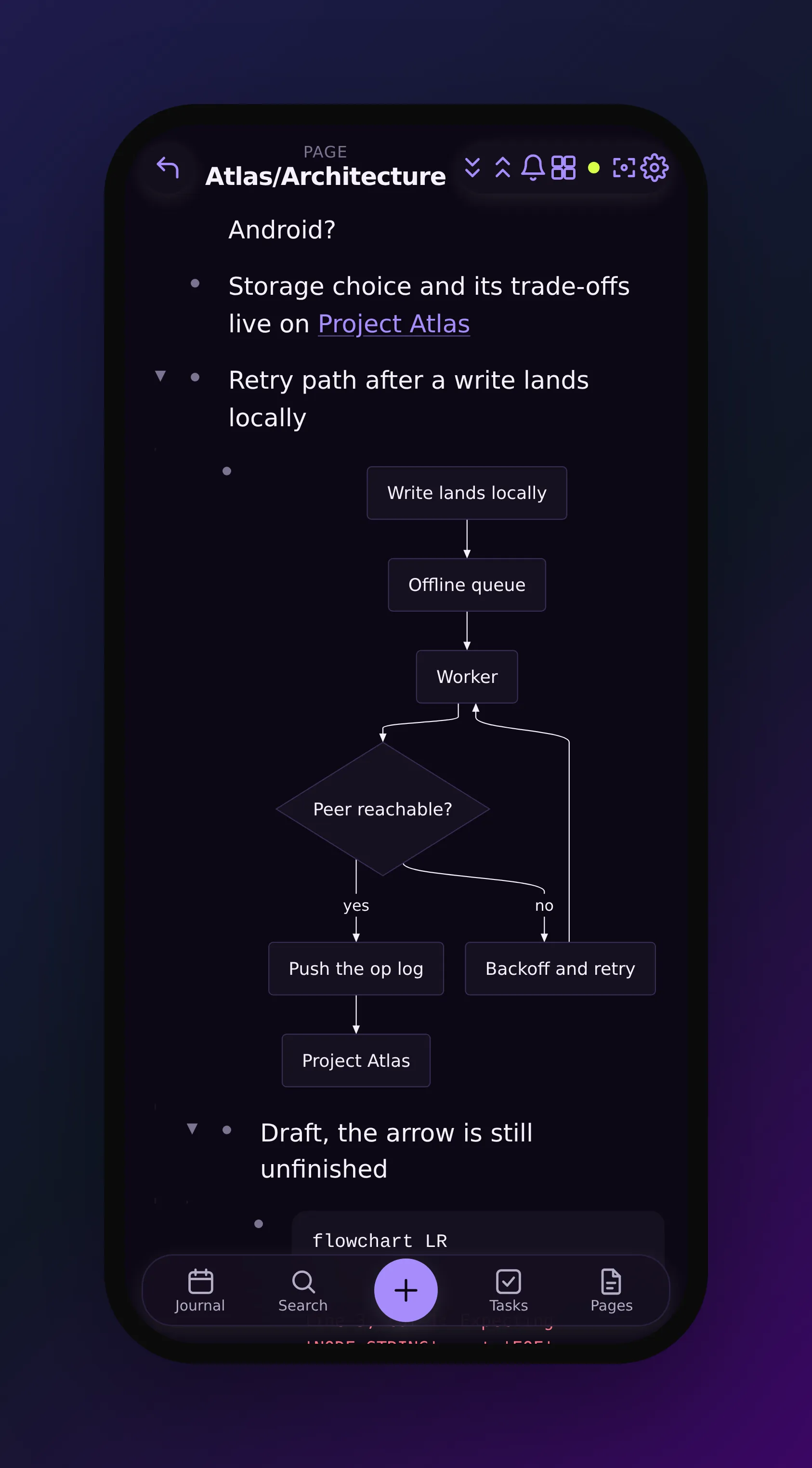
open the same note on a phone
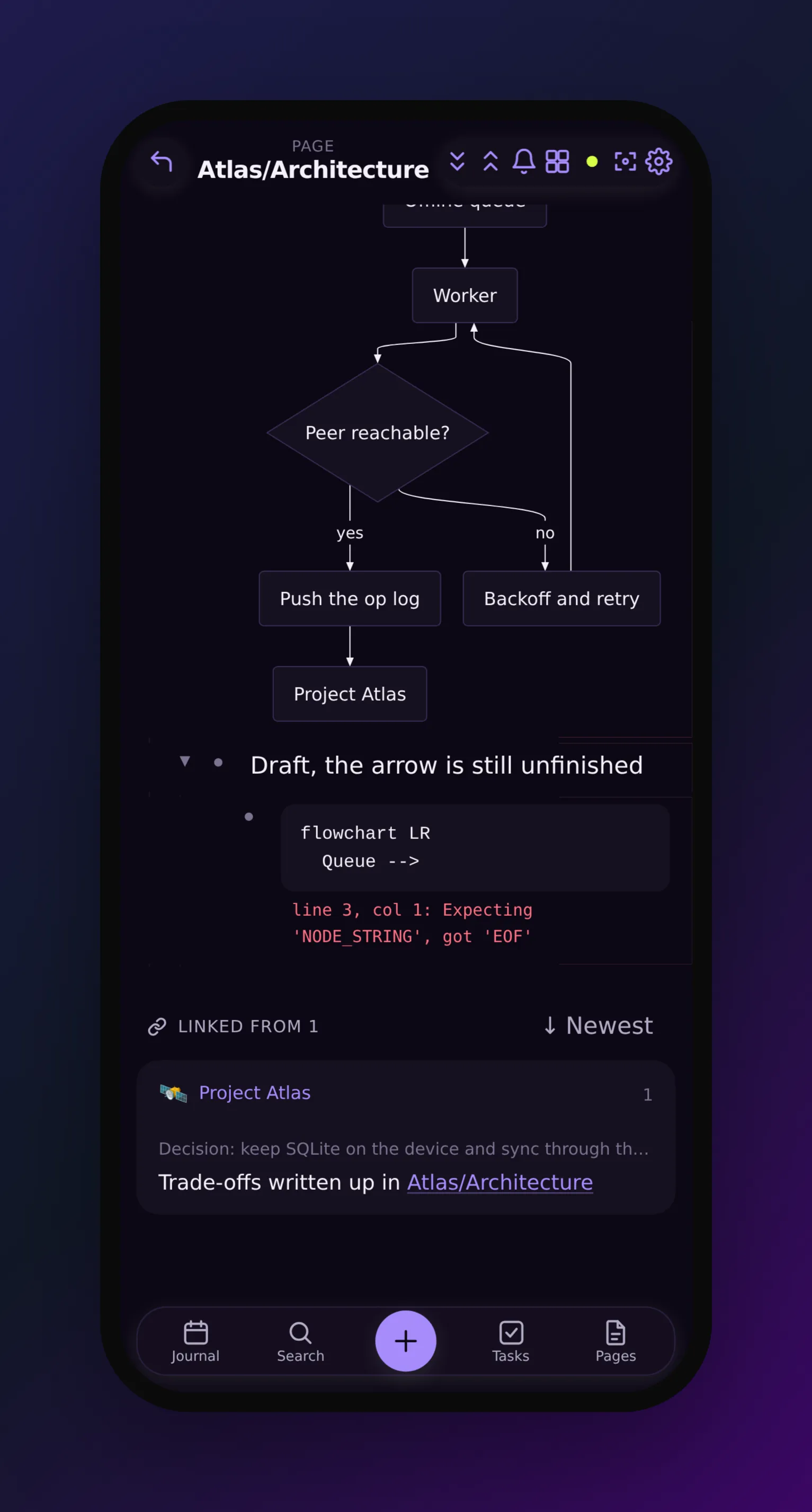
The phone does not get a layout written for it. The renderer leaves the library’s autoDirection option unset, so its own default stands: a left-to-right flowchart measured against a host narrower than it needs is drawn top-to-bottom instead. Same fence, same source, same component, one measurement different.
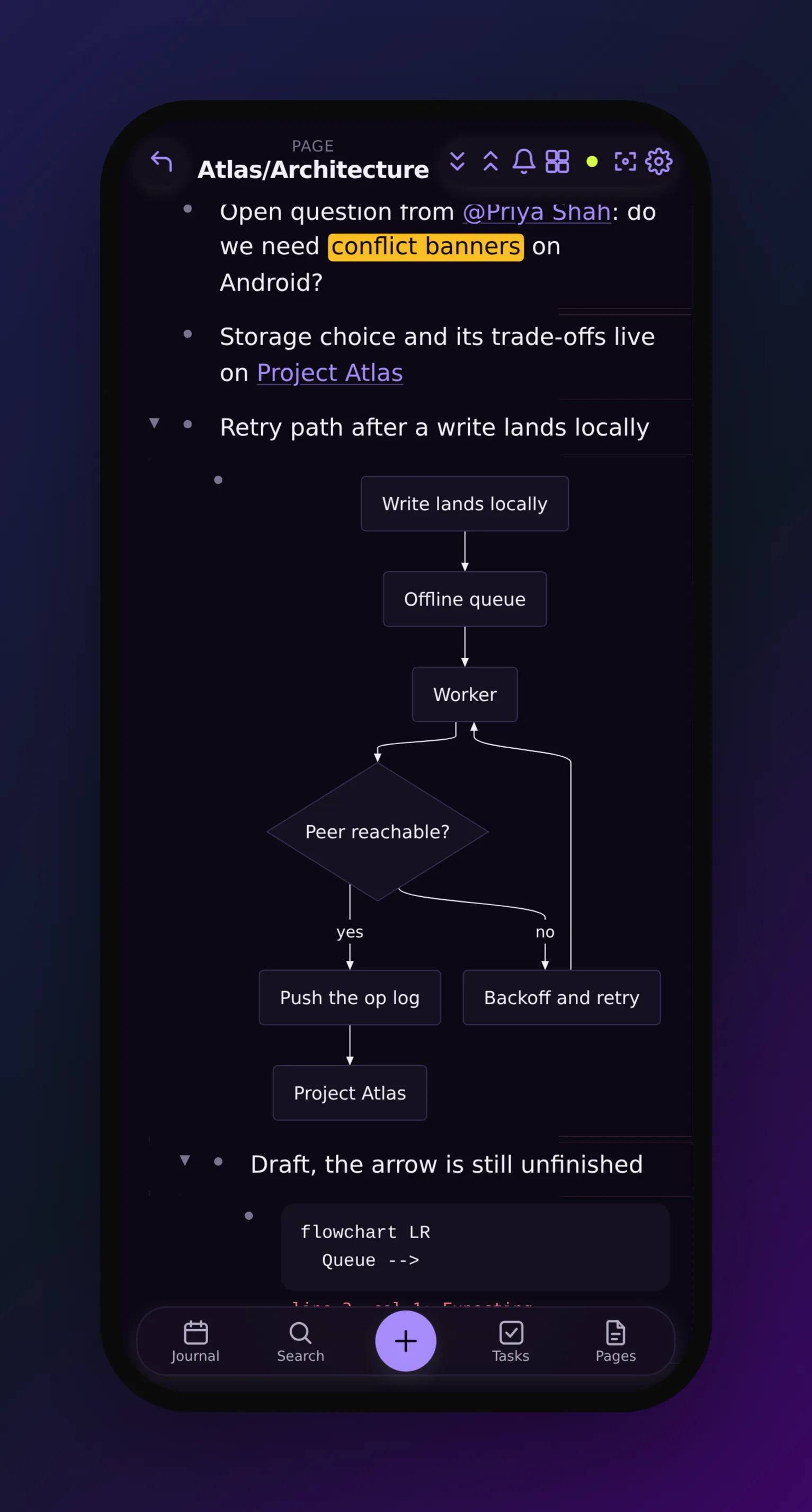
scroll to the draft where the arrow was never finished
A fence that does not parse keeps its source and says where the parser stopped. The line underneath is the position and the complaint, with the parser’s own caret art and its repeated “Parse error on line” sentence removed, collapsed to one line and assigned as text rather than HTML, so a broken diagram cannot put markup on the page. A failure with no position worth reporting behaves differently on purpose: over the 50,000 character cap, or a diagram type the renderer does not load, the fence drops back to highlighted source with no error line at all, because a message pointing at line 0 is worse than none.
why pele
The renderer is Pele, pinned at 1.6.0 and loaded through pele/lazy in a chunk of its own. outl never shipped a diagram renderer before this one: a mermaid fence was highlighted source unless a plugin claimed it. Pele has no runtime dependencies and renders synchronously, and its own comparison puts it at about 230 kB gzip against 1.6 MB for Mermaid.js, and 0.05 to 0.3 ms per render against 6 to 82 ms. Those are Pele’s numbers, not a benchmark of outl.
Most of what this post describes is Pele doing its job. The phone layout above is its autoDirection default, not code of ours. The colours are --pele-* CSS variables pointed at outl’s theme tokens, so a theme switch does not redraw the diagram. Diagram text is escaped and links are filtered before outl’s sanitizer ever sees the SVG, and images are one option away from off, which is why the “never fetches anything” paragraph below is short.
Pele is MIT licensed and comes from Obsidian, which makes a notes app that competes with this one. Nearly every commit in obsidianmd/pele is by Steph Ango (@kepano), Obsidian’s CEO, and they released it in October as a library anyone can install instead of keeping it inside their app. I would rather build on the best work I can find than on a worse version of my own, wherever it comes from. Thank you, kepano and the Obsidian team.
where it works
- Desktop: drawn, with Edit in the fence header and clickable nodes.
- iOS and Android: drawn, from the same component and the same source. Tapping the diagram, anywhere that is not a link inside it, opens the source for editing.
- Terminal: not drawn. A mermaid fence stays source there, and that gap is recorded as
DiagramRenderingin the client parity table rather than left to be discovered. - Plugins: a plugin that declares a content transformer for
mermaidstill wins over the built-in renderer, on both GUI clients.
what it does not do
There is no zoom and no pan. A diagram draws at the width the note gives it. That is a decision, not an omission: the library’s zoom control bar writes its own styling with setAttribute("style") and then reads it back through the CSSOM, which keeps cursor and loses the rest under the style rules the mobile shell ships, so the buttons rendered and did nothing. Dead controls are worse than absent ones, so zoom is off on both clients.
A diagram never fetches anything. Images are off at the renderer, there is no icon resolver, and a link inside a diagram opens only http, https, mailto or a note in your own workspace. Everything else is removed from the drawn output before it reaches the page.
Turning it off is one setting, and so is overriding it: diagrams = "off" under [editor] gives you the highlighted source back on this device, and a plugin claiming the mermaid language takes the fence from the built-in renderer entirely.
It is in v0.12.0-beta.237 and on the download page. The fence priority, the internal-link rule and the link schemes are written up in docs/plugins.md, and the setting itself in docs/config.md.