Help us bring the better interface to outl
On October 4th someone in our Discord said they wanted the usability of Reflect Open Desktop with the engine of outl, and called it a dream. The honest reading of that is that our interface was the thing standing between them and the app. Four days later another member suggested using Reflect as the reference instead of designing from scratch, and six days after that the first person came back with three specific reasons they could not use the desktop app: a line that changed height the moment it took focus, a modal editor that makes sense in a terminal and not on a desktop, and two clicks to put the cursor where they wanted. This is what we changed, what we took from the team-reflect/reflect-open frontend (MIT, and generous), what we deliberately kept, and the one complaint still sitting open because fixing it properly means giving the desktop a real text cursor.
On October 4th, in our Discord, jlb6907 wrote this:
I am playing with https://github.com/team-reflect/reflect-open on macOS, and I would like to have a note app with the usability and the quality of the visual interface of Reflect Open Desktop and the engine of Outl, but it’s a dream!
I have read a lot of feedback about outl. That is the one that stuck, because of where the compliment sits. The engine is fine. The sync is fine. The thing between that person and the app they wanted was the interface I had built, and the only way they could describe wanting both was as a dream.
My reply was four words longer than it needed to be:
help us bring the better interface to outl
This post is what happened after that.
the suggestion came from the room, not from me
Four days later, sanath.usk made the argument I should have made myself:
I checked out Reflect and its UI is super polished. Instead of building a totally new design from scratch, what do you think about using Reflect as our core reference/inspiration for Outl’s new UI? It would save us a ton of time and looks amazing.
I said yes, with one condition, which is the only part of this I contributed early: whatever we do has to stay compatible across desktop, mobile and the TUI. outl is three clients over one folder of markdown, and a redesign that makes the desktop lovely while the phone and the terminal drift away from it is not a redesign, it is a fork with extra steps.
That condition did most of the design work. It threw out every idea that only made sense with a mouse, and it is why the changes below show up three times.
credit where it is due: team-reflect/reflect-open
I sat down and read reflect-open’s frontend. Not to copy components, which would not have worked anyway, but to answer a question I could not answer about my own app: why does theirs feel calm and mine feel like a terminal with a window around it?
Reading someone’s finished, working frontend is the fastest way to learn that, and it is only possible because Team Reflect put it out under MIT. They did not have to. A company that sells a notes app open-sourced the rewrite of that notes app, with a license that lets a competitor like me read it, learn from it, and ship the lessons. That is a real gift and I want to be loud about it rather than quietly absorbing the benefit.
What I took is judgement, not code:
- One popover surface. Autocomplete, the property pickers and the quick switcher each had their own corner radius, border weight and shadow. Three popovers, three personalities, no reason.
- An accent is a highlight, not a fill. The selected row in a list went from a solid block of accent colour to accent at 15% behind normal text. It still reads as selected. It stops shouting.
- Line icons instead of emoji. The 📅 and 📄 in our chrome were whatever your platform’s emoji font decided. They are line SVGs now, drawn in the current text colour, so they belong to the theme instead of fighting it.
- Calm is mostly restraint. Most of what makes their UI feel good is things they chose not to put on screen.
If you want a local-first markdown notes app with a polished interface and you are not specifically looking for an outliner with a terminal client, go use theirs. It is good.
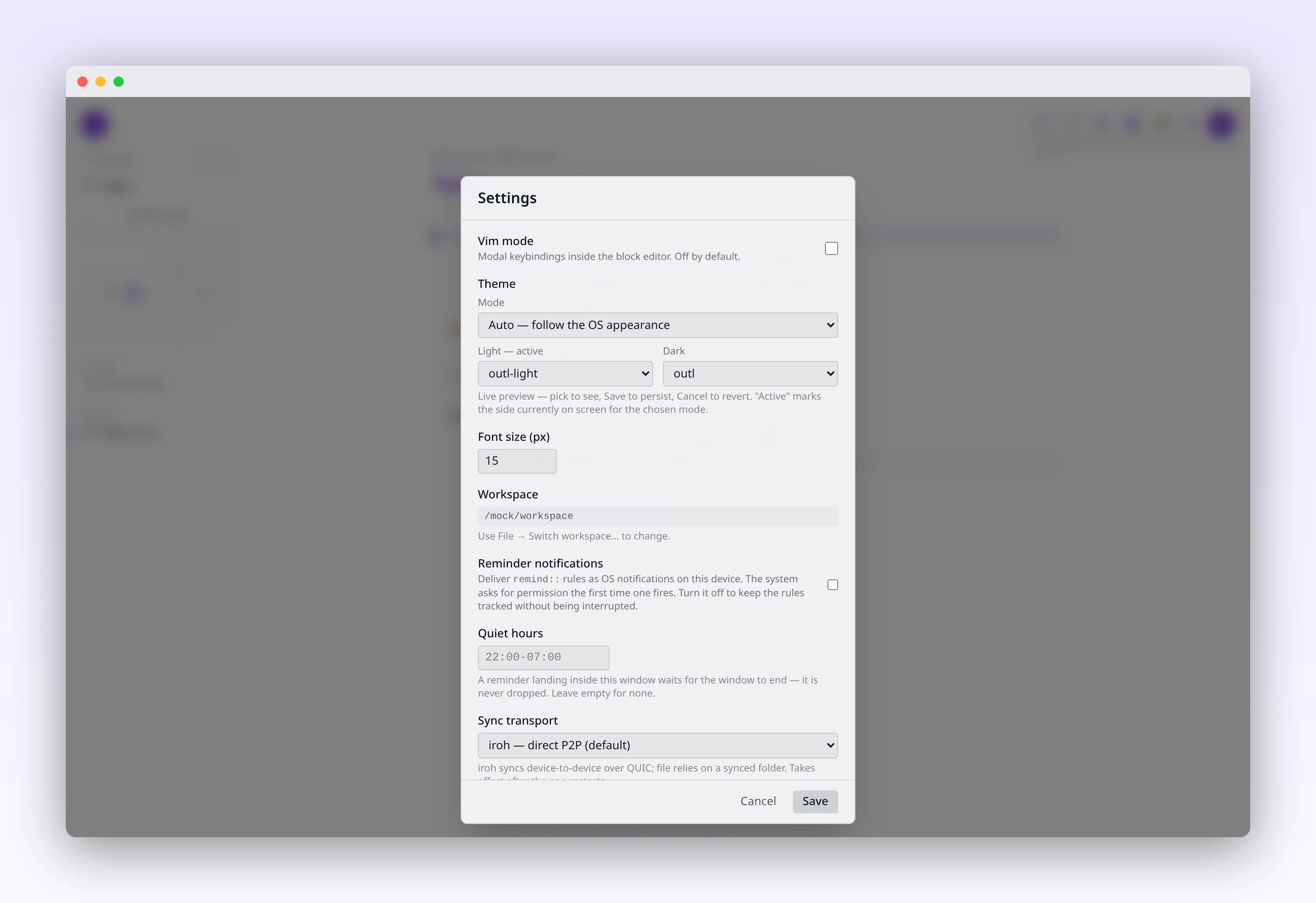
The light theme got rebuilt around a paper-white canvas and one accent. Dimmed text, the stuff that carries dates and hints, was too faint to read on five of our themes. That is fixed.
then the same user came back with three real problems
On October 10th, jlb6907 followed up. This is the part of the feedback loop that actually costs something, because now it is specific:
This is very disturbing for me to have the ”+ prop” line that dynamically changes the height of the line that has focus. I can’t use this app for this reason
The desktop app appears to mimic the mode of the terminal UI app (Normal, Insert), making it very user-friendly for a terminal UI, though not as intuitive for a desktop application.
You have to use 2 clicks to place the cursor where you want in a line: one click to select the line and place the cursor at the end, and another to move it to the desired position.
Three complaints. I want to be straight about what happened to each one, including the one I did not fix.
The jumping line is fixed. When a block took focus it swapped from rendered text to a textarea, and those two had different line heights. Click a line, the line grows, everything below it moves. It is small, it happens on every single click, and it was enough for someone to put the app down. Both now read one shared --outl-block-leading token, and there is a test that fails if a future edit lets the two drift apart again, because this is exactly the kind of thing that comes back.
The modal editing is partly addressed, and partly still there. I did not remove Normal and Insert modes. What I did was make the app reachable without knowing them: Cmd/Ctrl+K opens one palette over pages, blocks and actions, and the actions list their own chords, so the palette teaches the shortcuts instead of assuming them. Before, finding something meant knowing which of three places to look.
The two clicks are not fixed. This one goes deeper than it looks. The desktop’s vim mode holds a selected block id, not a character cursor, so there is no caret inside a line to move. Giving the desktop a real text cursor is the actual fix, it is a substantial change to the editor model, and the editor model is the one thing this pull request deliberately did not touch. It is written down in UX.md as open work rather than as a settled decision, next to the row that admits a behaves like i for the same reason.
I would rather say that plainly than let a release note imply all three got solved.
what the palette replaced
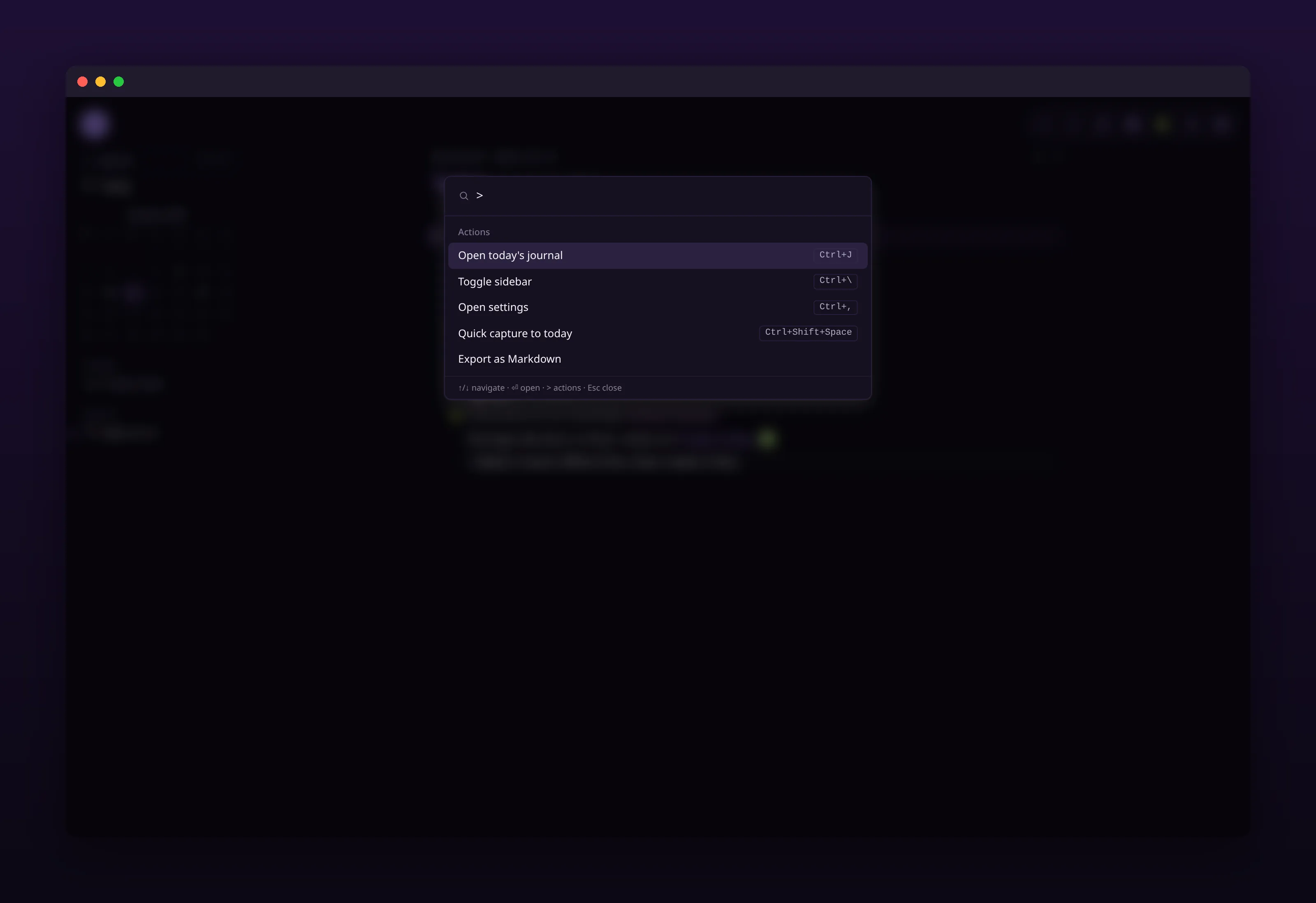
Type > and it narrows to actions, each with the chord that also runs it.
The quick switcher found pages. Block search was a separate popup. Actions lived in the help overlay. Three doors, one intent, and the intent is always the same: get me to the thing.
Now it is one palette, and choosing a block that has children zooms into it instead of dropping you at the top of its page.
The smaller half of that change matters more to me. The palette was keyboard-only, which means nothing on screen said it existed. There is a Search row at the top of the sidebar now. It opens the same palette and it shows the chord. A keyboard-only feature is invisible to exactly the person who would benefit most from learning it, which is the person who does not know your shortcuts yet.
the day has a name
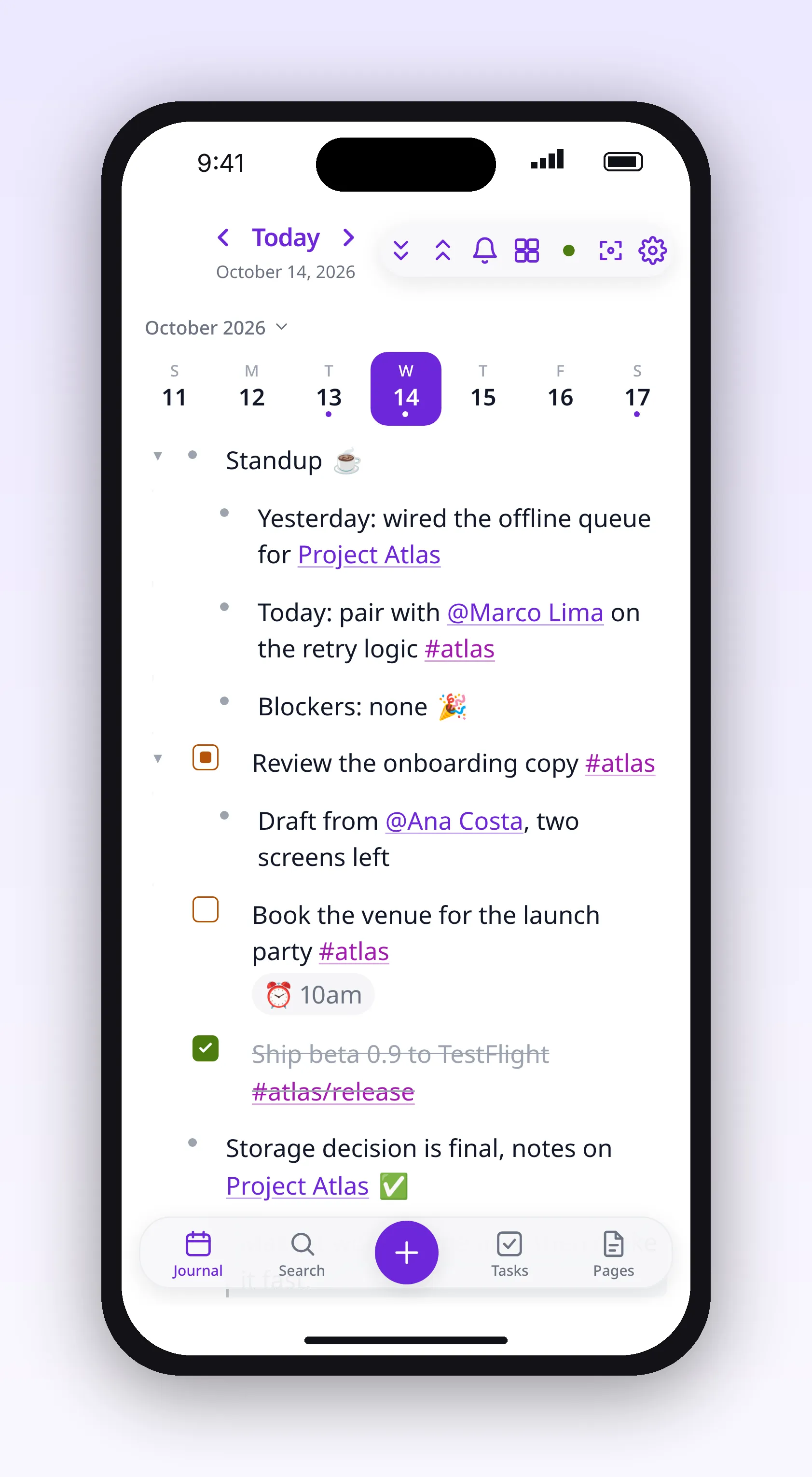
The phone got a bottom bar, a week strip, a swipe between days, and a capture button that does not make you find a page first.
The journal header used to be 2026-10-14 in large monospace. That is a correct file name rendered as a page title, in the typeface of a command prompt. Nobody opens their notes thinking “let me write this in 2026-10-14”. They think “today”.
It says Today, Yesterday, Tomorrow or the weekday now, with the full date beside it, on all three clients. The slug is still there, smaller, in mono, because it is still the file name and you still want it when you go looking on disk.
The phone got the most structural work, because the phone was the client most obviously built by someone who thinks in keyboards. A bottom bar. A week strip you can swipe. Quick capture that opens a sheet instead of making you navigate first. Going back to today on its own if you left the app sitting on last Thursday for half an hour.
showing people what the sync already did
The other half of this release is not about chrome at all, and it came from the same instinct: an app that does something clever where you cannot see it is asking for trust it has not earned.
outl syncs peer to peer, and when two devices edit the same note offline, the merge keeps both. That has worked for a while. Showing that it worked is new:
- Page history with a word diff, not a list of timestamps. The words that changed, and a restore that behaves like any other edit, so it syncs and
Cmd+Zsteps back through it. - What each device still owes you. The peer list says “Up to date” or “N changes waiting”. A device that has not talked to this one yet shows nothing at all rather than a guess, because a confident wrong number is worse than a blank.
- Merged edits, with undo. When two devices changed the same block and the merge picked one, that is now a visible entry you can reverse.
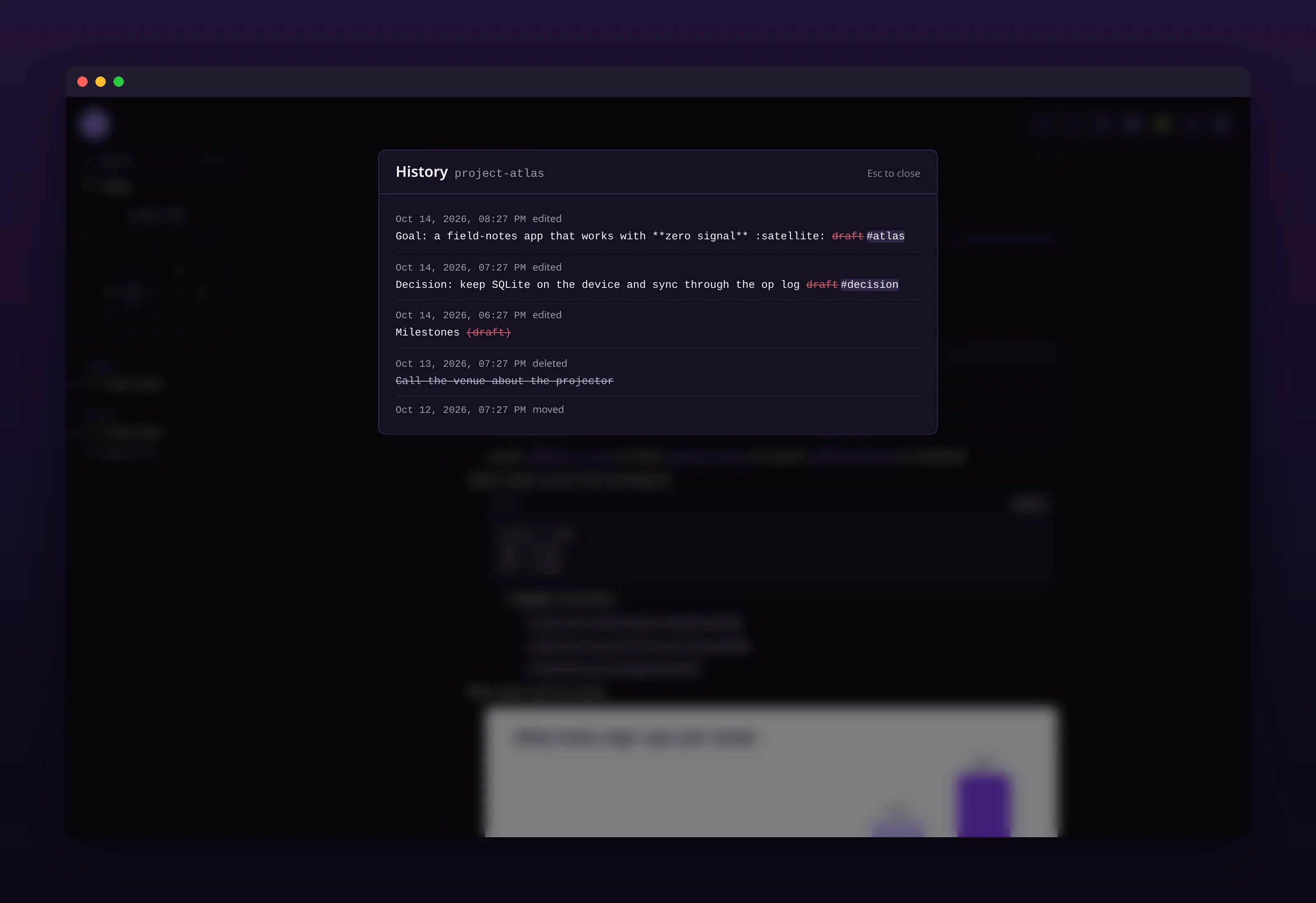
What changed, in words, with the device that changed it and a way back.
the terminal got the same release
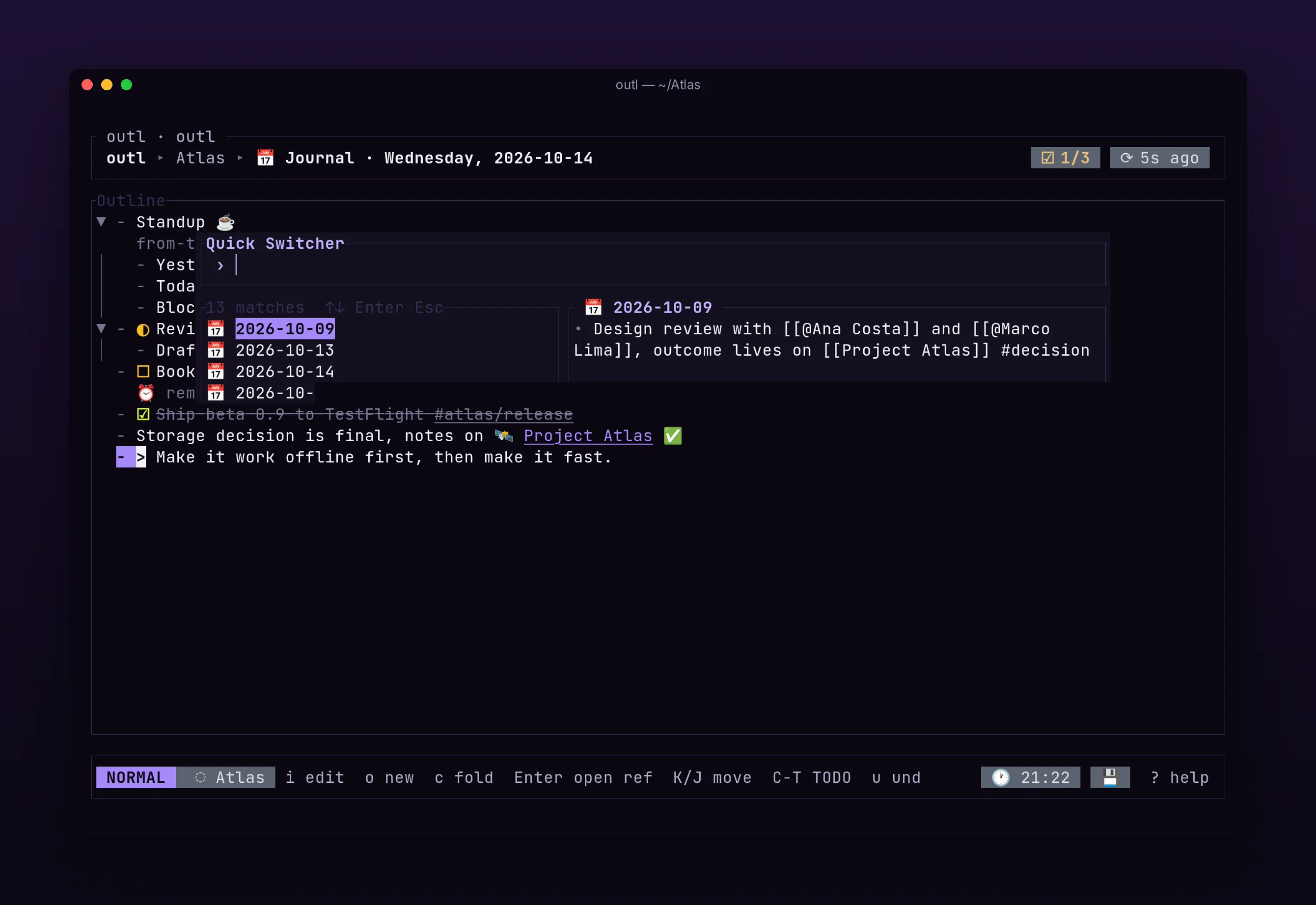
Focus mode on z f, a sync panel on :sync, and the help popup is generated from the keymap catalog, so it cannot describe a key that does nothing.
This is where that one condition paid off. Every client declares what it can and cannot do as an exhaustive list, and a build step regenerates the parity doc from it, so a feature that lands on the desktop cannot quietly skip the terminal. When a chord genuinely has to differ, like Ctrl+K already meaning “selection up” in the TUI, it goes into a known-divergences list with the reason instead of being silently rebound under a vim user’s fingers.
A terminal UI is not going to feel like Reflect. It can still get the same thinking: fewer things on screen, better contrast, and a help popup that cannot lie to you.
what I want to say to the two people in that thread
The best thing in this release is not in the release. It is that someone said “it’s a dream”, I said “help us”, and they came back ten days later with three precise, uncomfortable, correct complaints, one of which was blunt enough to say they could not use the app. That is worth more than a feature request and much more than a star.
So: thank you to jlb6907, for the original nudge and then for the specifics, including the one I have not fixed. Thank you to sanath.usk, for pointing at the open-source work already sitting there instead of letting me start from a blank canvas. And thank you to Team Reflect, for shipping a genuinely lovely frontend under MIT so that a smaller project could read it and learn.
Every screen from this release is on the screenshots page, the beta is on download, and the full commit-by-commit breakdown is in PR #362.
The offer in that Discord message has not expired. The desktop still needs a real text cursor.